
Izzet Furkan Cakmak
How To Use React Toastify in Next.js Properly
Toast notifications in react are very useful and cool part of your application. It's really simple library to include and install to application then all we have to do is create a notification component and implement it to action that your visitors will have in your app. Let's get into it.
Install Toastify Package In Our AppAssume you have an application that you're currently working on, and all you have to do is install toastify package on terminal using command below;
$ npm install --save react-toastify
Import Toast Package and Create Toast Component
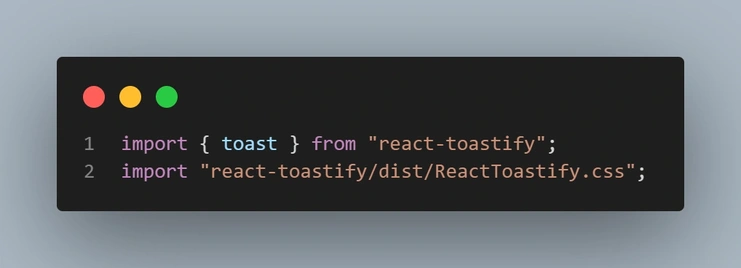
Let's say we have an Contact.jsx file in our components folder and a contact form in it. What we want to do is when click on the button called Send Message or whatever it is, we need to see our toast notification. Let's start with importing our packages in related files like below;
Contact.jsx
What i want to do is have run toast component in index.js file in pages folder we want to see it properly located. But its effective only if we have our button that we want to have "toastified" in home page of course. If it's running on another page, we need to implement different solution according to situation to make it good looking.
Index.js
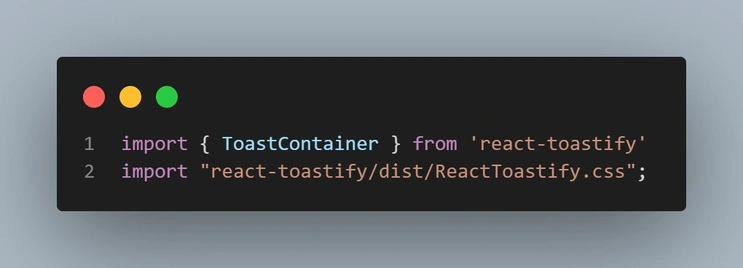
Then we will create the ToastContainer component and add to the bottom of the other components in our home page.
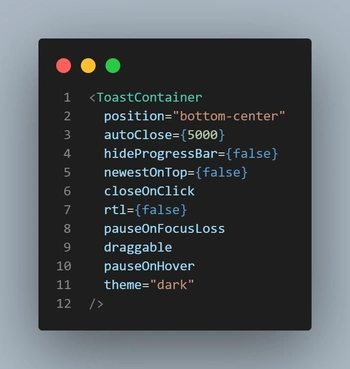
I've desinged it in my own way like position="bottom-center" or the other features, you can create your own toast by searching react toastify and design it in your own way.
Creating the Function
All that's left is to set arrow function that will trigger our toastify when it's got clicked or acted. Like the code below;
Contact.jsx
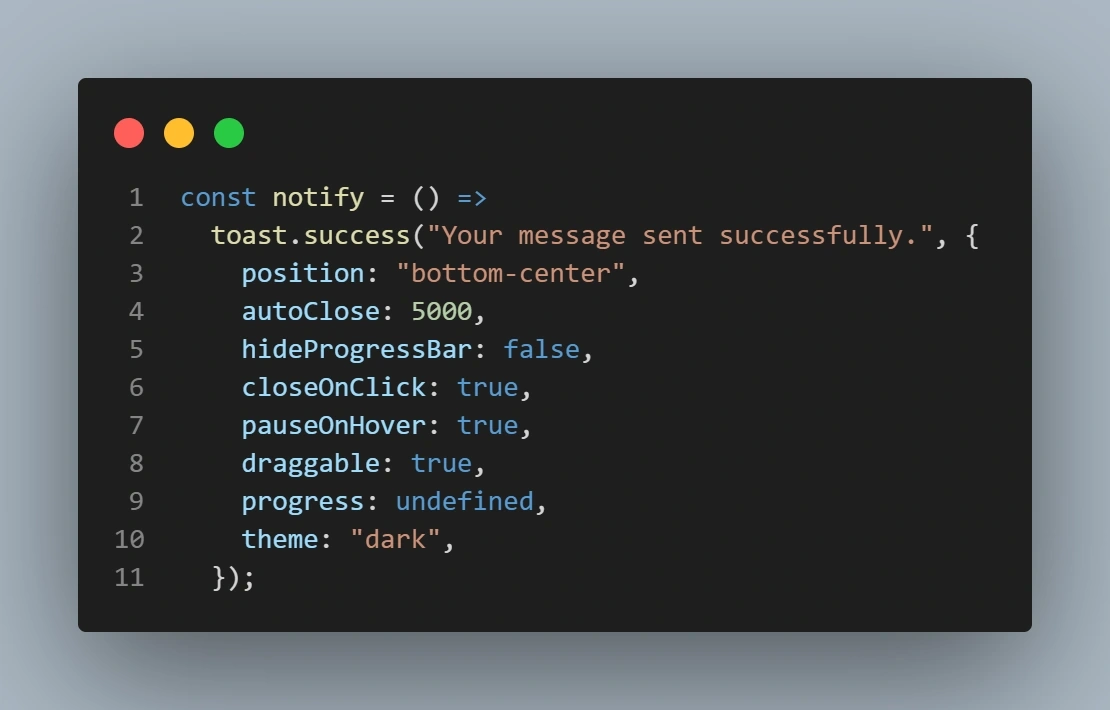
This is the toast function of success, of course you can make it different like "error, warning" in your on way like i said before.
Finally we will set our button action in the form in Contact.jsx file like;
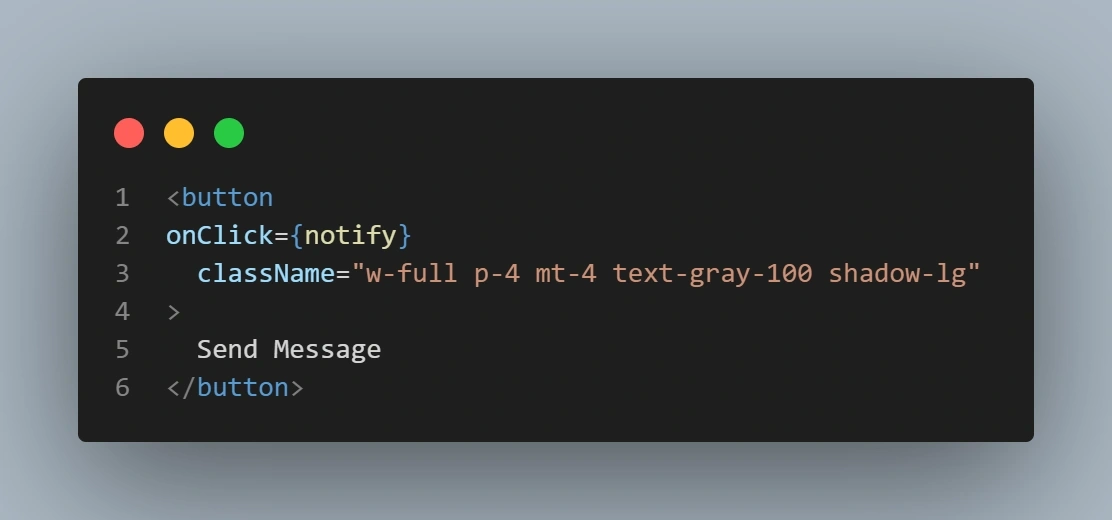
then we're ready to see our mobile-responsive notification ;
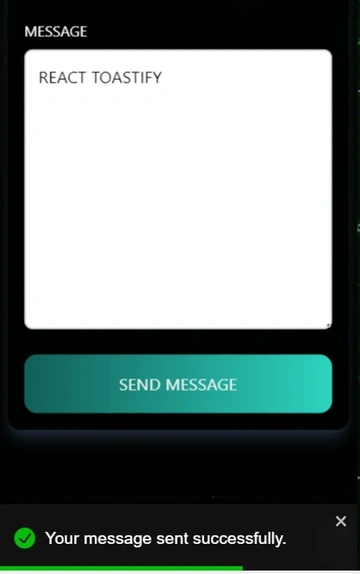
Even if we scroll the page, notification will still be there untill we close it.
Thanks for reading this article, hope i could help.🙏
Izzet Furkan Cakmak
Computer Engineer - Fullstack Developer - Builder - ML Learner